

AI Call Summaries for Law Firms: Structured Intake Notes for Faster Staff Follow-Up
Peak Demand builds Legal Voice AI that turns phone conversations into structured call summaries instead of leaving staff to reconstruct the interaction from memory, voicemail, or a raw transcript. The workflow can preserve caller-stated facts, intake fields, actions completed, unresolved items, routing context, and requested next steps while legal judgment remains with the firm.
Turn the interaction into approved fields, concise context, and a usable follow-up record.
Record what was booked, routed, transferred, requested, attempted, or left unresolved.
Keep representation, conflicts, legal advice, merits, deadlines, and exceptions with authorized staff.
A phone call should not disappear into a vague message or force staff to replay the entire interaction.
Legal intake often depends on details spread across a conversation: who called, what they are asking about, which parties are involved, what dates they mentioned, whether they are a new prospect or an existing client, what action they requested, and what the Voice AI already completed. A structured summary can carry that context forward in a form staff can review quickly.
Caller context
Name, confirmed contact details, caller type, relationship to the firm, preferred callback information, and other approved identification fields.
Reason for calling
The caller's stated purpose, requested practice area or matter category, administrative request, consultation intent, status request, or other configured reason.
Key details
Caller-stated dates, parties, locations, matter references, appointment details, file context, and other facts the firm has chosen to capture.
Next action
Live transfer, callback, consultation request, review queue, message, notification, routing destination, or another firm-approved follow-up path.
It should organize what the caller said and what the workflow did. It should not turn intake information into independent legal conclusions, merits assessments, deadline calculations, or representation decisions.
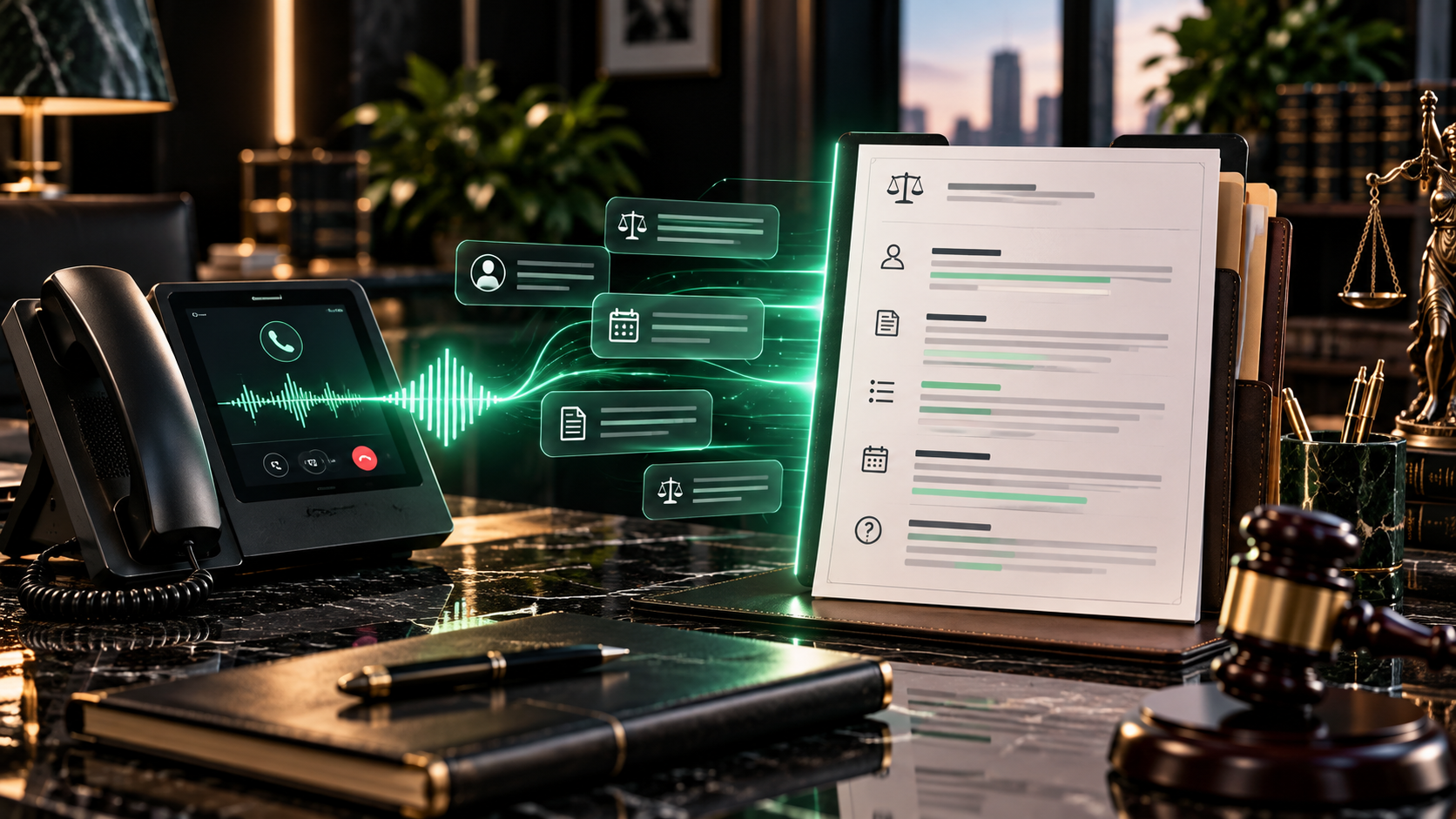
Give staff the information they need to continue the workflow without pretending every call needs the same note.
Different firms and practice areas need different summaries. The useful structure is the one that reflects what staff actually review, route, book, call back, or enter into the firm's systems.
Build the summary while the conversation is happening, then preserve the state of the workflow when the call ends.
The note becomes more useful when it reflects both the conversation and the actions the system actually completed.
1. Identify the call path
Determine whether the caller is a new prospect, existing client, referral source, administrative caller, or another firm-defined category.
2. Capture approved fields
Ask the questions required for that path, confirm important details, and preserve unknown or declined answers without inventing them.
3. Complete approved actions
Route, transfer, request a consultation, create a callback, send a notification, or write to a connected system when the workflow allows it.
4. Create the handoff record
Summarize the caller context, confirmed fields, actions completed, failed actions, unresolved items, ownership, and requested next step.
If a transfer fails, a calendar is unavailable, or a system write does not complete, the summary should preserve that failure and move the call into the firm's approved fallback.
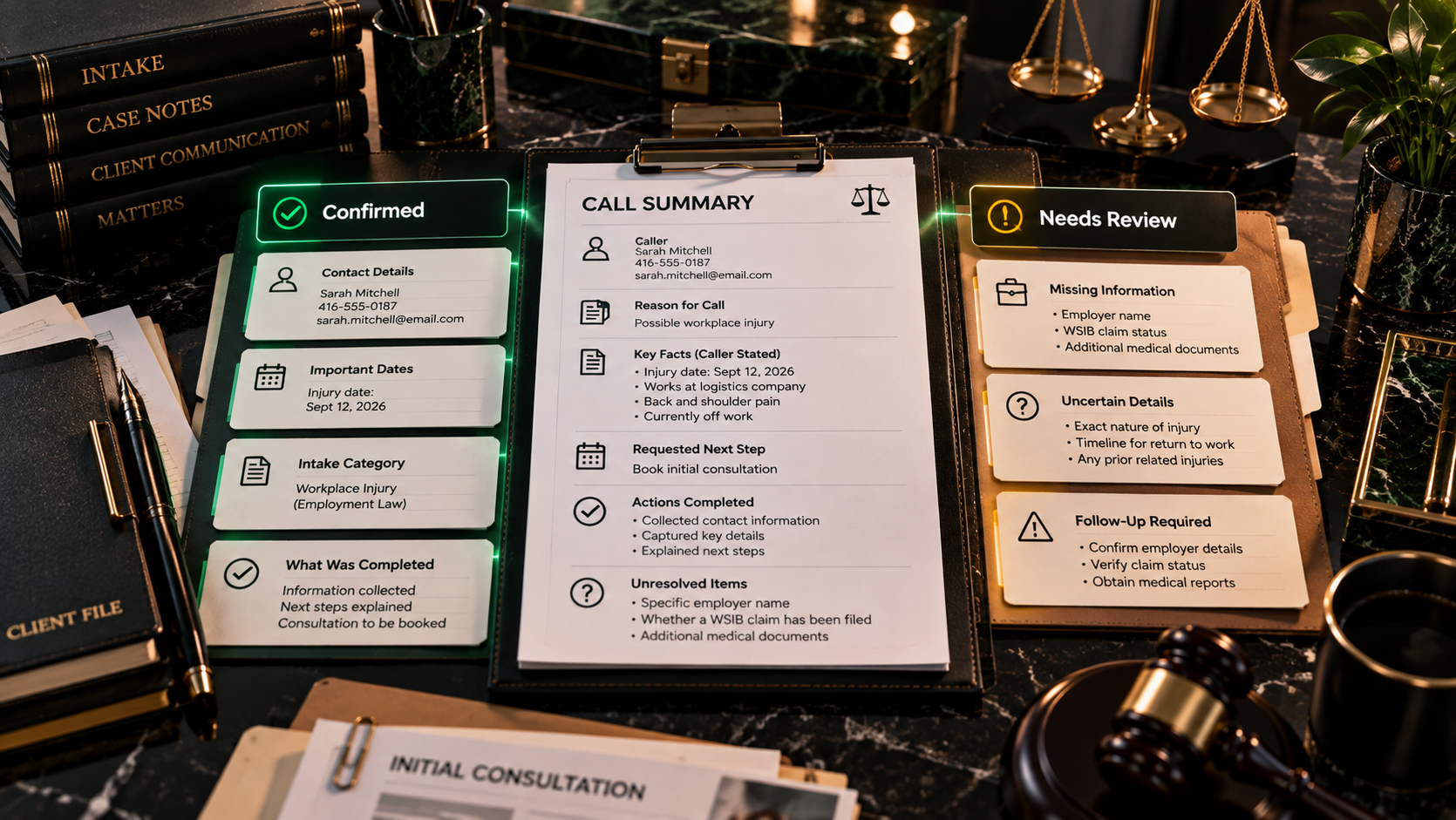
The summary should arrive where the next human action happens.
A structured note is most useful when it travels with the handoff. The same call context can support a live transfer, callback queue, consultation workflow, practice-group review, existing-client routing, or next-business-day follow-up without asking staff to reconstruct the call.
Live transfer
Pass or immediately deliver the intake context to the receiving staff member where telephony and connected systems support the workflow.
Callback queue
Create a structured callback with the caller, reason for contact, timing, priority signals, ownership, and the details already collected.
Practice-group review
Route the note to the appropriate firm-defined team without asking the Voice AI to make representation or legal judgment decisions.
Next-business-day review
Organize after-hours calls so staff can begin the day with cleaner context and a defined follow-up path.
A staff-ready call summary can include:
- Caller identity and confirmed contact information.
- New prospect, existing client, referral partner, or other firm-defined caller type.
- Caller-stated reason for contacting the firm.
- Relevant parties, organizations, dates, and locations that were actually provided.
- Requested consultation, callback, message, transfer, or administrative next step.
- Action completed during the call and whether it succeeded.
- Assigned team, office, lawyer, queue, or review destination where configured.
- Unknown, missing, conflicting, or unresolved information.
- Human-review flag where legal judgment or an exception is required.
Preserve caller language where it matters.
Normalized fields make notes easier to scan, but the caller's own phrasing can be retained where nuance matters to the human reviewer.
Keep uncertainty visible.
Unknown or unclear information should remain visible as an unresolved item instead of being turned into a false fact.
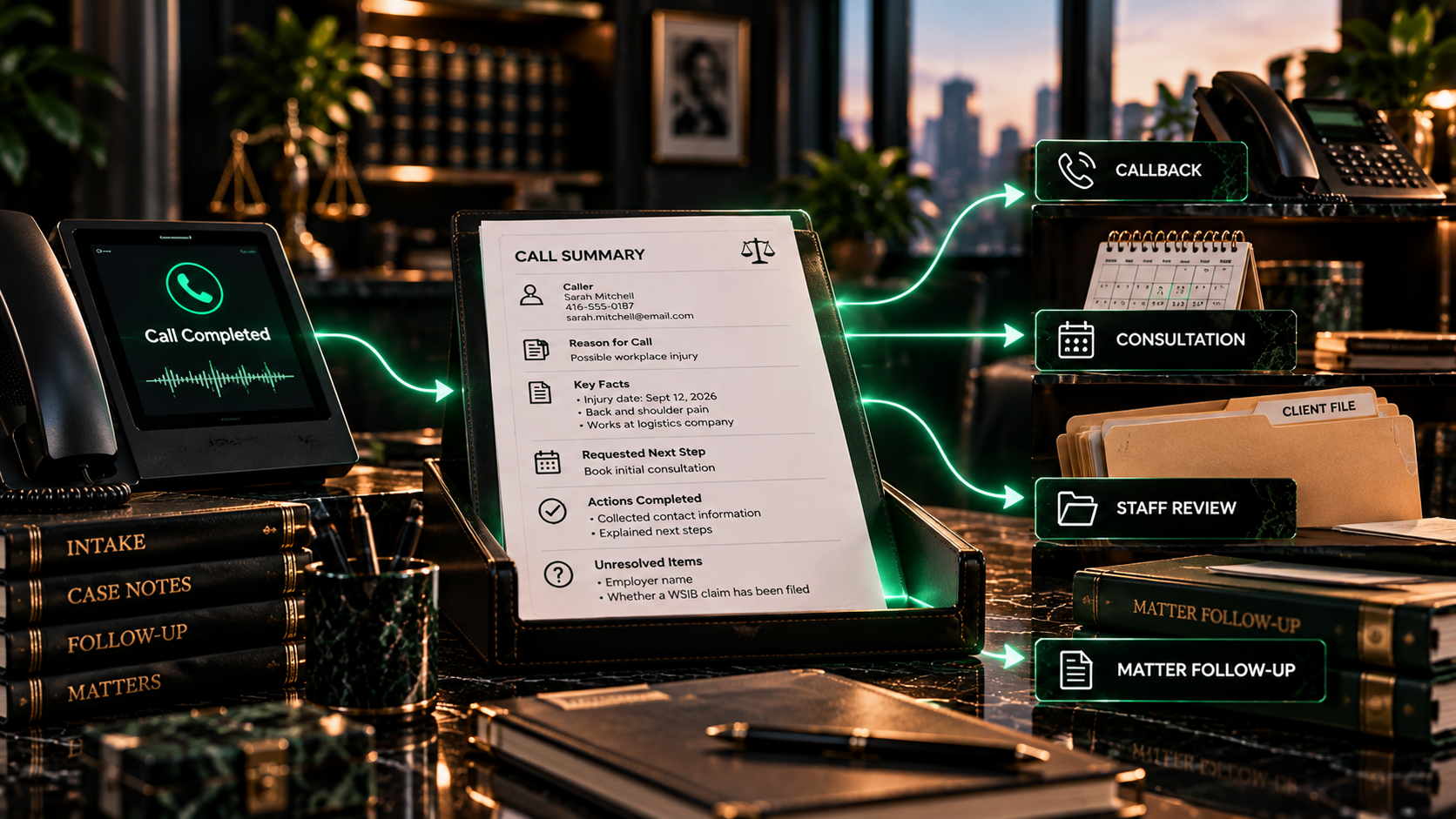
Summarize the call without turning the summary into automated legal judgment.
The Voice AI can organize caller-stated information and workflow state. Legal advice, merits, representation, conflicts, privilege, deadlines, strategy, and sensitive exceptions remain with the firm's authorized human process.
A structured summary can become part of the firm's existing workflow instead of another disconnected note.
Depending on API availability, permissions, credentials, data access, and platform capabilities, Peak Demand can connect the Voice Engine and deterministic logic layer to approved practice-management, CRM, calendar, telephony, messaging, notification, webhooks, and custom review systems.
Practice management
Create or update approved contact, intake, note, task, matter, owner, source, status, or review fields when the platform supports the required actions.
CRM and intake systems
Write normalized intake data and concise summary context into the fields the firm has approved for staff follow-up.
Telephony and routing
Pair transfer outcomes, destination, call state, and fallback actions with the summary rather than documenting them separately.
Notifications and queues
Deliver the note into the correct inbox, channel, queue, callback list, or review process with ownership and next-step context attached.
Available APIs, authentication, permissions, field access, write actions, retention policies, and failure handling need to be confirmed before a connected summary workflow is treated as production-ready.
The right call summary depends on the firm's practice areas, staff workflow, systems, and risk boundaries.
Peak Demand can define the exact fields, templates, caller-type branches, practice-area sections, caller-language notes, confirmation rules, connected actions, review flags, fallbacks, and staff handoff structure instead of forcing every legal call into one generic note format.
Define the fields
Choose which contact fields, parties, dates, matter context, administrative details, source fields, actions, and unresolved items belong in each summary type.
Define the format
Control the balance between structured fields, concise narrative context, caller-stated language, confirmation status, and system metadata.
Define the handoff
Specify where the summary goes, who owns follow-up, what creates a callback or review task, and what happens when the primary action fails.
Go deeper into intake handoffs, documentation, routing, and custom summary logic.
This page owns the broad call-summary capability. The pages below go deeper into the operational handoff, documentation outcome, intake architecture, and custom-build layer.
AI Intake Handoff Summaries
Focus on the specific workflow that gives legal staff cleaner notes before a callback or review.
Improve Legal Intake Documentation
See how structured call notes and handoff context can address inconsistent intake documentation.
Legal Intake Automation
Connect call summaries to the broader intake flow, routing, scheduling, review, and human escalation architecture.
Custom AI Call Summaries
Define practice-specific fields, summary templates, caller branches, staff destinations, integrations, and fallback logic.
Questions law firms ask about structured call notes, intake context, handoff records, and human review.
The exact fields, integrations, retention rules, review process, and connected actions depend on the firm's workflow and the systems available during implementation.
What are AI call summaries for law firms?
How are AI call summaries different from a transcript?
Can the summary include the caller's own words?
Can the AI summarize new-client intake calls?
Can it summarize calls from existing clients?
Can the summary include names and dates?
Can the AI identify the legal issue in the summary?
Can it mark a call as urgent?
Can the summary include what the AI already did?
Can failed actions be included in the note?
Can summaries be customized by practice area?
Can different caller types get different summary formats?
Can the summary go into a CRM or practice-management system?
Can the AI create a callback task from the summary?
Can the summary be sent with a live transfer?
Can summaries help after-hours intake?
Can the AI summarize legal advice?
Can the AI decide whether the firm should take the case?
Can the AI decide whether a conflict exists?
Can the summary calculate limitation periods or filing deadlines?
What if the caller does not know an answer?
Can staff see which fields were confirmed?
Does every law firm need the same summary fields?
Can Peak Demand build a custom call-summary format?
What is the main purpose of an AI legal call summary?
Give staff cleaner context before the next legal follow-up.
Map the fields, caller types, practice-area templates, actions, failed-action notes, staff destinations, integrations, review flags, and human-control boundaries your firm needs in every structured call summary.
We can map what information should survive each call, how it should be structured, where it should go, what actions it should trigger, and which decisions must remain human-controlled.